



Organize your stocks and get real-time reports of stock movements

Monitor stock movements and manage stocks efficiently! 

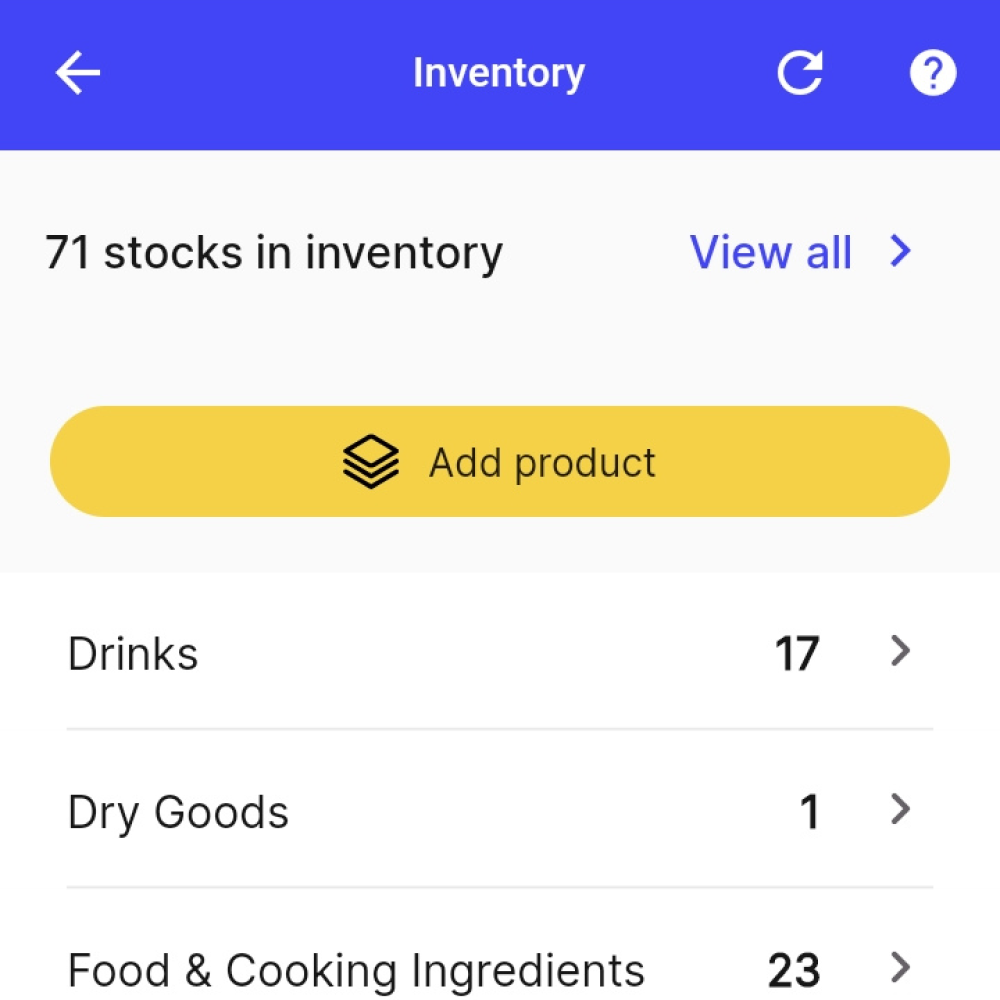
A screenshot of a yufin user's inventory, showing their total stock amount, an "Add Product" button, and a list of products with their remaining stock quantities.
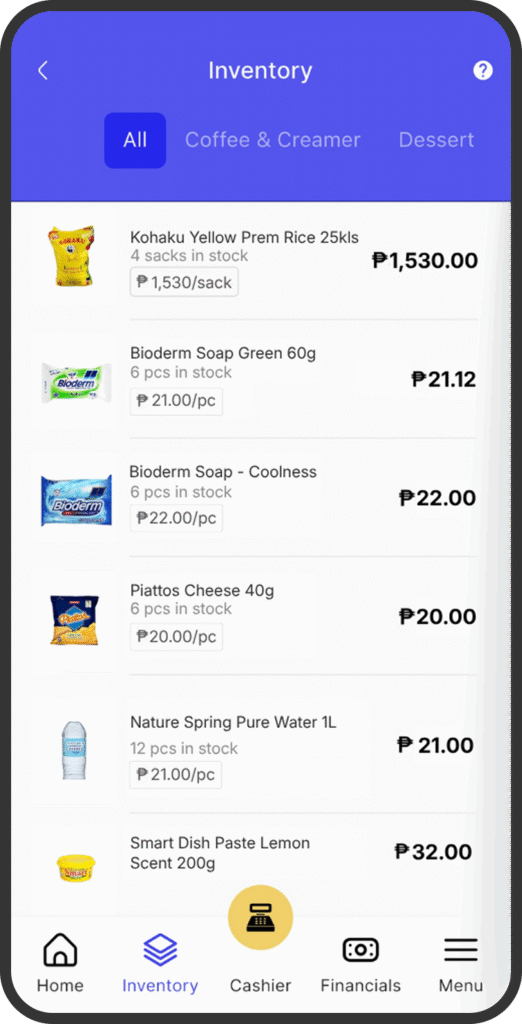
A screenshot of the Inventory page.

Inventory Syncing for yuOrders!

Keep your inventory synced in real time with automatic markups built into your selling price.

Add Products with Barcode Scan

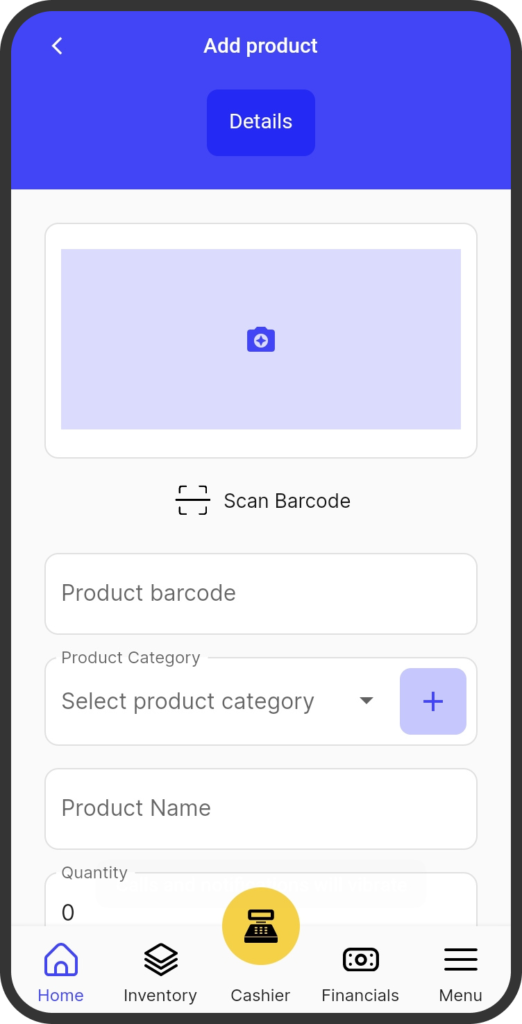
Easily record products using your mobile or tablet to scan barcodes.
A screenshot of the yufin app's 'Add Product' feature, showing a button for scanning a product's barcode, and fields for entering the product's barcode, category, name, and quantity.
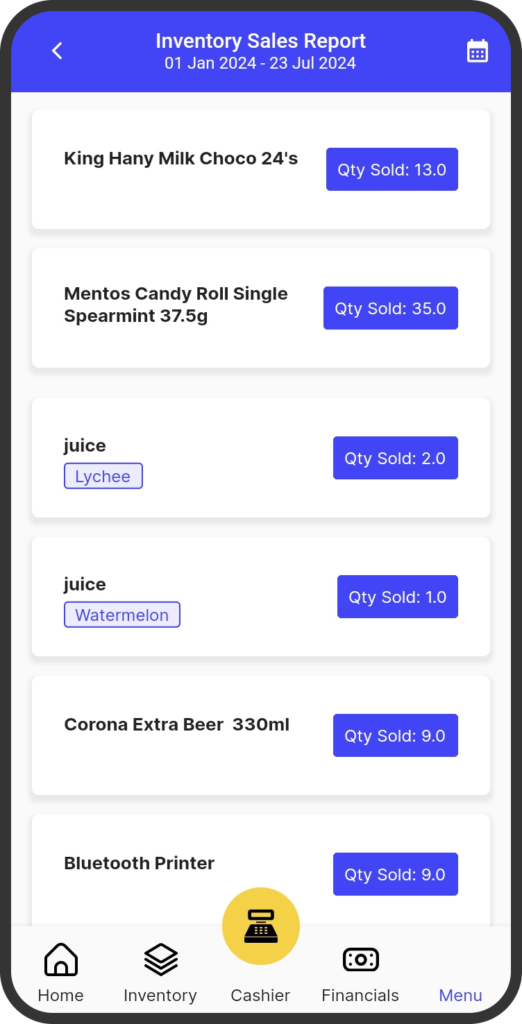
A screenshot of the yufin app's 'Inventory Sales Report' feature, showing the date range, and a list of products with their quantities sold.

View Top Selling Products at a Glance

The top ten list at your fingertips! Know which products sell best with yufin’s smart sorting.

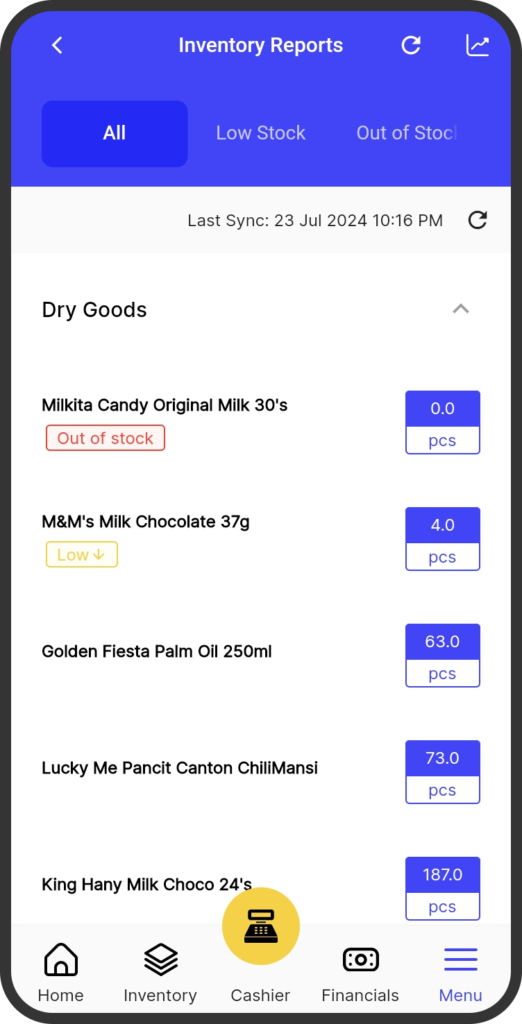
Prevent Stockouts and Sell More

yufin tells you what to order more, and what to order less the next time.
A screenshot of the yufin app's 'Inventory Reports' feature, showing three tabs ("All", "Low Stock", and "Out of Stock"), and a list of products tagged with their stock status and their quantities sold.

How to use Inventory Management

Experience real-time monitoring! Our inventory system offers a hassle-free way to manage your inventory, ensuring you never run out of essential items.